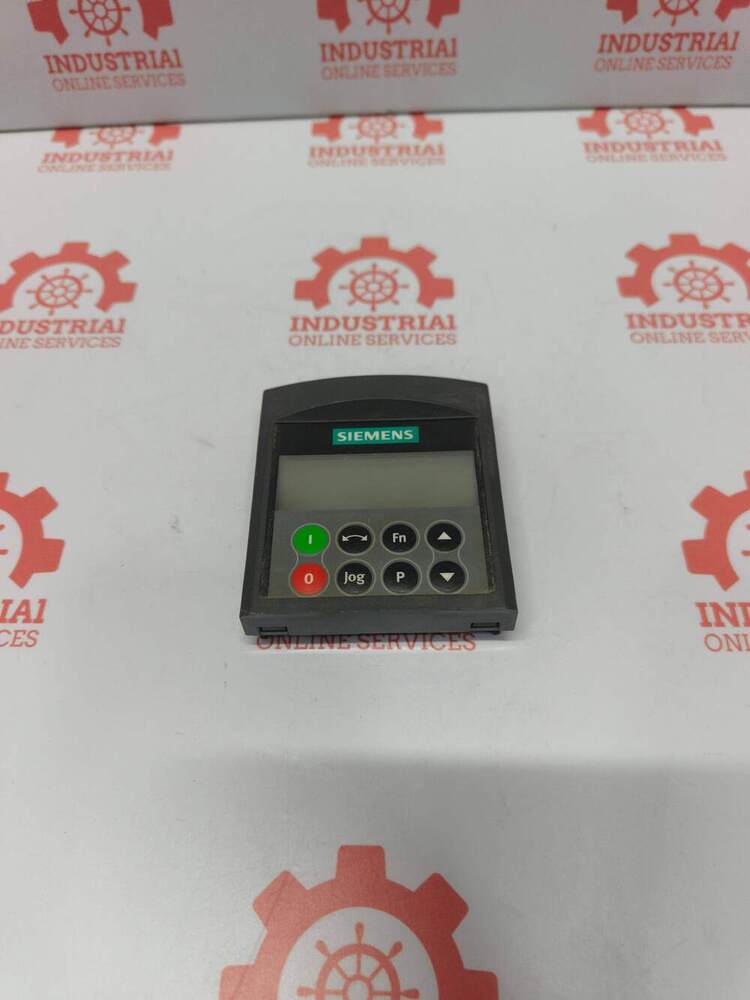
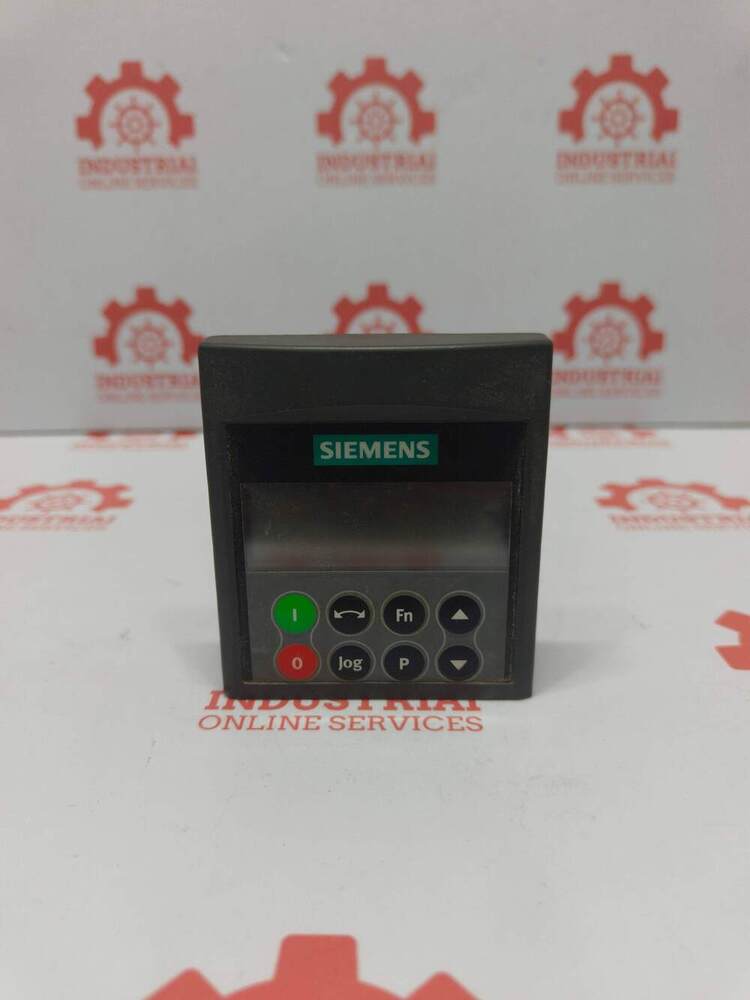
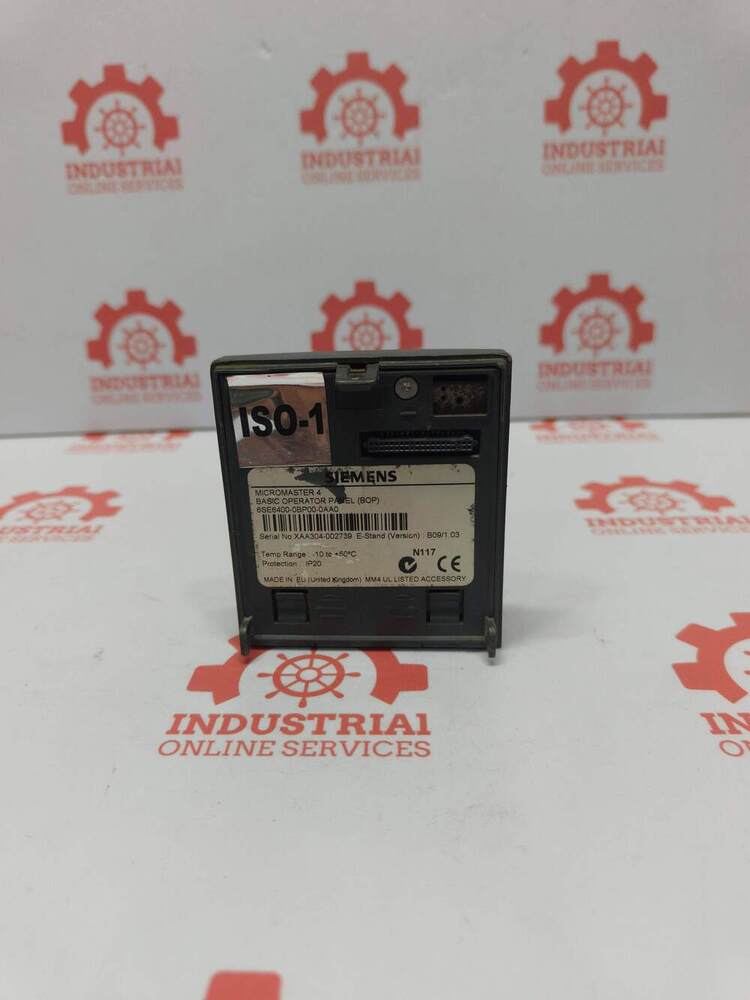
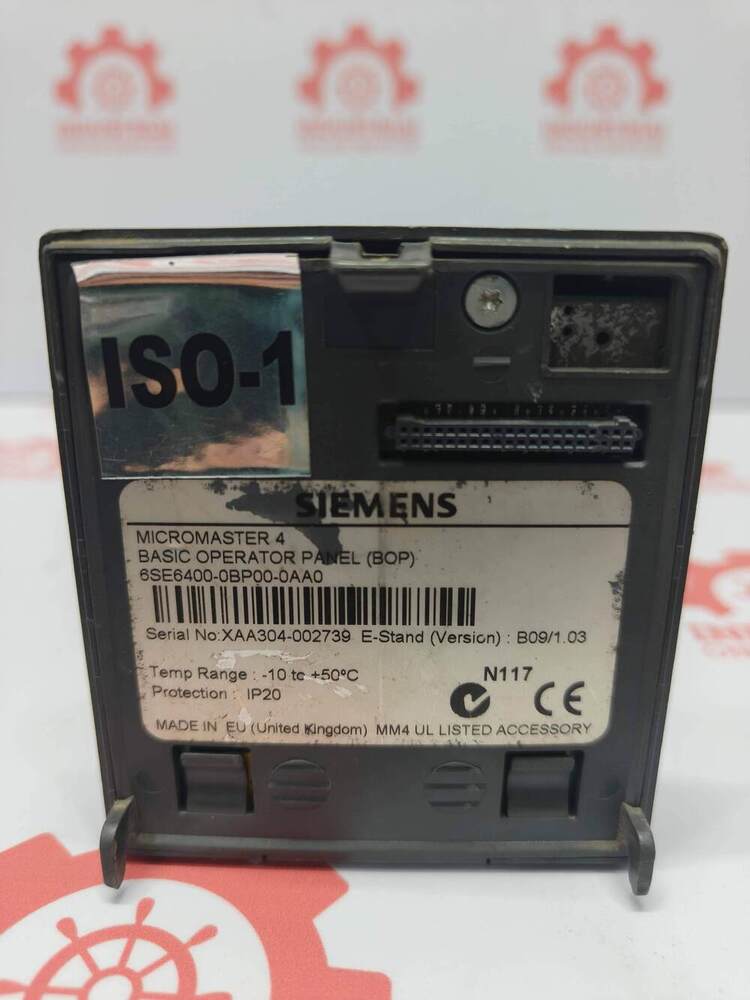
About SIEMENS 6SE6400-0BP00-0AA0 Basic Operator Panel (BOP) Designed For The MICROMASTER 4 Series Of Frequency Inverters (VFDs)
SIEMENS 6SE6400-0BP00-0AA0 Basic Operator Panel (BOP) Designed For The MICROMASTER 4 Series Of Frequency Inverters (VFDs)
Key Technical Specifications
Product Type: Basic Operator Panel (BOP)
Compatible Product Lines: Siemens MICROMASTER 420, 430, and 440 drives
Display Interface: 5-digit monochrome LCD screen
Keypad Layout: 6 mechanical keys for local manual control and parameter adjustment
Power Supply: Powered internally directly through the interface connection on the inverter backplane
Protection Class: IP20 (suitable for cabinet environment; front face upgradeable to IP54 with a separate door-mounting kit)
Functions Supported: Direct upload/download of parameter sets, parameter browsing/editing, drive run/stop control, and jogging.
Seamless Operation with MICROMASTER 4 SeriesThe SIEMENS Basic Operator Panel is designed for flawless integration with MICROMASTER 420, 430, and 440 frequency inverters. With direct docking through the panel slot, installation becomes quick and effortless. The intuitive interface allows users to operate, monitor, and configure the VFD with ease, enhancing overall operational efficiency.
Reliable Performance in Demanding EnvironmentsConstructed with robust plastic and PCB materials, the BOP withstands industrial environments. It operates efficiently in temperatures from 0C to +50C and can be stored safely at temperatures as low as -40C. The panel handles humidity up to 95% RH (non-condensing) and offers IP20 protection on the front, ensuring reliability across diverse conditions.
FAQ's of SIEMENS 6SE6400-0BP00-0AA0 Basic Operator Panel (BOP) Designed For The MICROMASTER 4 Series Of Frequency Inverters (VFDs):
Q: How do I install the SIEMENS 6SE6400-0BP00-0AA0 BOP on my MICROMASTER 4 VFD?
A: To install, simply plug the Basic Operator Panel into the designated front panel slot of the MICROMASTER 420, 430, or 440 series VFD. Make sure the drive is powered down before installation or removal to ensure hot swap capability and prevent potential damage.
Q: What functions can I control using the BOP's 6-key membrane keypad?
A: The membrane keypad allows you to start and stop the drive, adjust parameters, scroll through menu options, and execute special functions. With Up, Down, Start, Stop, P, and Fn keys, parameterization, operation, diagnostics, and resetting to default settings are all possible.
Q: When should I consider ordering this Basic Operator Panel as a spare part?
A: It is advisable to order the BOP as a spare if your facility relies on MICROMASTER 4 series VFDs for critical operations. Quick replacement ensures minimal downtime in case the original panel malfunctions or is damaged.
Q: Where is this Basic Operator Panel suitable for use?
A: The panel is best suited for industrial settings requiring basic operation and parameter setting of frequency inverters. It is designed for use in environments with temperatures ranging from 0C to +50C, less than 95% relative humidity (non-condensing), and where IP20 front protection suffices.
Q: What benefits does using the SIEMENS BOP provide over alternative operator panels?
A: This BOP offers a straightforward control interface tailored for MICROMASTER 4 VFDs, engineered for speedy mounting and instant integration. Its hot swappable design (drive powered down), low power consumption, and direct power supply from the VFD increase convenience and efficiency, reducing installation and maintenance time.
Q: How can I reset the parameters to default values using the BOP?
A: You can reset the parameters to factory defaults directly via the keypad by following the reset instructions found in the MICROMASTER 4 series manual. The procedure utilizes the panel's keys without needing any external devices.






 Send Inquiry

 Send Inquiry
 Send Inquiry
 Send SMS
 Call Me Free